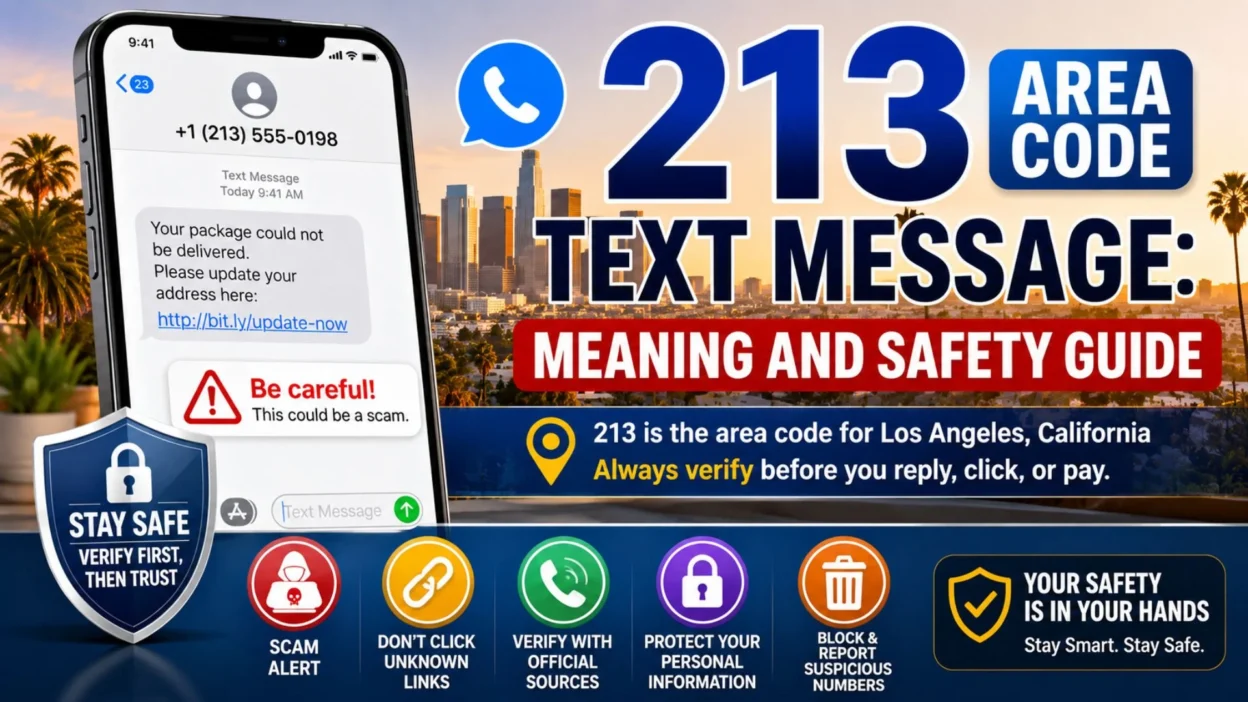
Receiving a 213 area code text message from an unknown number can make you curious or uneasy. You may wonder who sent it, where the number comes from, or whether replying is safe.
The 213 area code is associated with Los Angeles, California. It shares its geographic region with the 323 and newer 738 area codes. The California Public Utilities Commission says this region covers downtown Los Angeles and many surrounding communities.
However, seeing 213 on your screen does not prove the sender is actually in Los Angeles. Scammers can disguise or spoof phone-number information. Therefore, the message itself matters far more than the area code.
Sometimes, an unfamiliar text is completely harmless. It may come from a business, delivery service, doctor’s office, friend with a new number, or someone who simply typed the wrong number.
Still, unexpected texts can also lead to phishing, identity theft, or financial fraud. The FTC continues to warn consumers that scammers frequently use text messages to impersonate businesses and government agencies.
A 213 number is not automatically dangerous. However, an unexpected message should always be checked before you reply, click, or pay.
📍 What Does the 213 Area Code Mean?
The 213 area code is one of California’s original telephone area codes. It dates back to 1947 and has long been closely connected with Los Angeles.
Today, 213 operates in an overlay region with 323 and 738. That means several area codes can serve the same general geographic area.
The region includes places such as:
- 🏙️ Downtown Los Angeles: One of the best-known areas associated with 213.
- 🌴 West Hollywood: Numbers in the shared overlay region can serve this community.
- 🏡 Pasadena: The combined numbering region also reaches Pasadena.
- 🌆 Glendale: Residents and businesses may use numbers from the overlay area.
- 🛍️ Beverly Hills: The shared region includes Beverly Hills as well.
- 🏘️ Inglewood: The numbering area extends into this community.
- 🌇 South Pasadena: This area also falls within the wider overlay region.
- 📞 Other Los Angeles County communities: Several surrounding cities share the same numbering system.
The newer 738 area code began serving the same region on November 1, 2024 because available phone numbers were running low.
Therefore, a 213 text may genuinely come from a person or organization connected with Los Angeles.
Yet location alone cannot establish trust.
🔍 Why Did I Get a 213 Area Code Text Message?
There are many possible reasons. Some are completely normal, while others deserve caution.
A legitimate message might come from:
- 👤 Someone you know: A friend or relative may have changed their number.
- 🏢 A business: A Los Angeles company may be following up with you.
- 📦 A delivery service: You might receive an expected shipping update.
- 🏥 A healthcare provider: Clinics sometimes send appointment reminders.
- 🍽️ A restaurant: Reservations and waiting-list updates can arrive by text.
- 💼 An employer: A recruiter or workplace contact may use a local number.
- 🏨 A hotel or travel service: Businesses may send booking information.
- 📝 A service you recently contacted: The text may relate to a request you made.
However, suspicious messages may use similar stories.
Scammers often impersonate trusted organizations because familiar situations lower our guard. According to the FTC, common scam texts involve fake fraud alerts, deliveries, unpaid tolls, jobs, loans, and wrong-number conversations.
So, instead of asking only, “Is 213 a scam area code?” ask a better question:
Does the message make sense based on something I actually did or expected?
🚨 Is a 213 Area Code Text Message a Scam?
Not automatically.
A phone number beginning with 213 can belong to a genuine individual or business. Therefore, it would be inaccurate to label every 213 message as fraudulent.
At the same time, scammers can make messages appear more familiar by using local-looking numbers. Phone-number information can also be spoofed, which means the displayed number may not reliably identify the real sender. The FCC accepts complaints involving unwanted texts and spoofed numbers.
Focus on the behavior of the message, not just its area code.
Strong warning signs include:
- 🔗 An unexpected link: Be cautious when a message asks you to open an unfamiliar website.
- 💳 A sudden payment request: Unexpected fees, fines, or overdue charges deserve verification.
- ⏰ Extreme urgency: Scammers often pressure people to act immediately.
- 🔐 Requests for passwords: Legitimate organizations should not ask for account passwords by random text.
- 🏦 Requests for banking details: Never send bank information to an unverified number.
- 🎁 Unexpected prizes: “You won” messages can lead to fake fees or information theft.
- 📦 Unrequested delivery alerts: Fake package texts commonly direct victims to imitation websites.
- 💼 Unsolicited job offers: Be suspicious when strangers promise easy money for little work.
- 💰 Loans you never applied for: The FTC specifically warns about fake loan texts.
- ❓ A vague wrong-number greeting: Some scams begin with an apparently innocent conversation.
- 😨 Threats or fear: Fake legal, toll, tax, or account warnings often rely on panic.
One suspicious sign does not prove fraud. However, several warning signs together should make you stop.
📨 What Does a Typical Scam Text Look Like?
Scam messages change constantly, but their emotional tactics remain surprisingly similar.
They usually try to create fear, curiosity, urgency, or excitement.
For example, you might receive something like:
“Your account has suspicious activity. Verify immediately using this link.”
Another message may claim:
“We were unable to deliver your package. Update your address and pay a small redelivery fee.”
The FTC warns that fake delivery texts often direct people to look-alike websites designed to collect payment and personal information.
Other common approaches include:
- 📦 Fake package problems: The sender claims USPS, FedEx, or another carrier needs information.
- 🚗 Fake unpaid tolls: A text says you owe a toll and threatens penalties.
- 🏦 Fake bank alerts: The message warns about a purchase you supposedly did not make.
- 💵 Fake loan approvals: Someone claims you applied for or qualified for a loan.
- 💼 Fake jobs: The sender promises high income for simple remote work.
- 🎉 Fake prizes: You supposedly won a gift, reward, or coupon.
- 👋 Wrong-number texts: A stranger starts a friendly conversation and slowly gains trust.
- ⚖️ Fake legal notices: The message threatens court action or another penalty.
The FTC advises people not to respond or click links in unexpected texts. Instead, contact the claimed organization using information you already know is genuine.
🛡️ What Should You Do Before Replying?
A few calm checks can protect you from unnecessary risk.
First, read the message carefully. Do not let urgent wording rush your decision.
Then:
- 🧠 Ask whether you expected it: Think about recent orders, appointments, applications, or conversations.
- 🔎 Search the company independently: Do not use the link supplied in the text.
- 📱 Open the official app: Check your bank, retailer, delivery, or service account directly.
- ☎️ Call a trusted number: Use the phone number printed on your card, bill, or official website.
- 🚫 Avoid suspicious links: Do not tap first and investigate later.
- 🔑 Protect verification codes: Never send a one-time security code to an unknown person.
- 💳 Avoid payment requests: Verify every unexpected charge independently.
- 📸 Keep evidence when needed: Take a screenshot if the message seems fraudulent.
- 🗑️ Report obvious spam: Use your phone’s Report Junk or spam option.
- 📤 Forward spam to 7726: The FTC recommends forwarding unwanted scam texts to 7726 (SPAM).
Most importantly, do not feel pressured to respond simply because someone contacted you.
A genuine business can usually be reached independently. A scammer, however, often depends on getting you to react before you think.
💡 Is It Safe to Reply “STOP” to a 213 Text?
It depends on the sender.
When you knowingly subscribed to legitimate business messages, replying STOP may be the normal way to unsubscribe.
However, replying to a completely unexpected or suspicious text can confirm that your number is active. Therefore, the FTC generally advises against responding to unexpected scam messages.
Use this simple distinction:
- ✅ Known legitimate company: Follow its official unsubscribe instructions.
- 🛍️ Service you intentionally joined: “STOP” may be appropriate.
- ❓ Unknown sender: Avoid engaging until you verify who they are.
- 🚨 Obvious scam: Report, block, and delete instead of replying.
- 🔗 Suspicious link included: Do not open it.
If you are unsure, silence is usually safer than curiosity.
❤️ A Calm Reminder When an Unknown Text Feels Alarming
Unexpected messages sometimes use frightening language on purpose. They may claim your bank account, package, license, or money is at immediate risk.
Do not let the message set your pace.
Pause before acting. Open the organization’s official app or website yourself. Call a trusted number if necessary.
Most importantly, remember that a local-looking 213 area code text message does not prove the sender’s identity. Trust should come from independent verification, not from three familiar digits on your screen.
🚨 Common 213 Area Code Text Message Scams
A 213 area code text message may be legitimate, but scammers often use local-looking numbers to appear familiar.
According to the FTC, unexpected texts commonly involve fake fraud alerts, deliveries, unpaid tolls, jobs, and wrong-number conversations.
Knowing the most common patterns can help you recognize danger before you click or reply.
Fake Bank or Fraud Alerts
These messages often claim someone used your debit card or accessed your bank account.
The text may ask you to confirm a suspicious payment immediately.
Watch for signs such as:
- 🏦 Fake account warnings: The sender claims unusual activity occurred.
- 💳 Unknown purchases: A transaction appears that you never made.
- 📞 Urgent callback requests: The message directs you to an unfamiliar number.
- 🔗 Login links: You are asked to “secure” your account through a link.
- 🔑 Verification requests: The sender asks for a one-time security code.
Do not use the phone number or link inside the message.
Instead, open your bank’s official app or call the number printed on your card.
The FTC warns that scammers may pretend to work in a company’s fraud department. Their goal is often to make you respond before checking independently.
📦 Fake Package Delivery Texts
Package scams are especially convincing because many people regularly shop online.
A message may say:
“Your package could not be delivered. Please confirm your address.”
Another may claim that a small redelivery payment is required.
Common warning signs include:
- 📭 A package you were not expecting: You do not remember ordering anything.
- 🔗 A strange tracking link: The domain does not match the delivery company.
- 💵 A small redelivery fee: The sender asks for payment before releasing the package.
- 🪪 Personal information requests: The site asks for sensitive details.
- ⏳ Immediate deadlines: The message says your parcel will disappear unless you act now.
The FTC warns that fake delivery texts may lead to imitation websites designed to steal card or personal information.
If you are expecting a parcel, open the retailer or delivery company’s official app instead.
🚗 Fake Toll and Traffic Violation Messages
Unpaid toll scams have become another common text-message tactic.
The message may claim you owe a small toll and must pay immediately to avoid extra penalties.
The FTC advises consumers not to click links or respond to unexpected toll messages. Instead, verify the charge directly with the official state tolling agency.
Look for warning signs such as:
- 🚘 Unexpected toll charges: You do not remember using the listed road.
- 💲 Small urgent balances: The amount looks believable enough to encourage quick payment.
- ⚠️ Threatened penalties: The text warns about fines or account suspension.
- 🔗 Payment links: You are sent to an unfamiliar website.
- 🪪 Requests for driver information: The page asks for license or identity details.
Scammers may also send fake traffic violation notices.
In 2026, the FTC warned about texts containing QR codes and fake court hearing information. These messages threatened penalties unless recipients paid quickly.
Never scan a suspicious QR code simply because the notice looks official.
👋 Wrong-Number Text Scams
A message such as “Hi, is this Sarah?” may appear harmless.
Sometimes, it really is a wrong number. However, scammers also use casual conversations to build trust.
The FTC specifically lists wrong-number messages among common text-scam approaches.
A suspicious conversation may develop like this:
- 👋 Friendly opening: The sender claims they contacted you accidentally.
- 😊 Continued conversation: They keep chatting even after learning they reached the wrong person.
- 💬 Personal questions: They ask where you live, what you do, or whether you are married.
- 💰 Money discussions: The conversation slowly turns toward investments or business opportunities.
- 📱 Platform switching: They encourage you to move to another messaging app.
- 💸 Investment pressure: Eventually, they may ask you to send money or cryptocurrency.
A genuine wrong-number sender usually apologizes and stops contacting you.
Therefore, prolonged friendliness from an unknown number deserves caution.
💼 Fake Job Offer Texts
Job scams often promise flexible hours and unusually high pay.
You may receive a text even though you never applied for the position.
Common warning signs include:
- 💵 High pay for simple work: The income seems unrealistic.
- 📲 No formal interview: Everything happens through text or messaging apps.
- 💳 Upfront payments: You must pay before starting work.
- 🏦 Bank information requests: The recruiter asks for financial details immediately.
- 🪙 Cryptocurrency payments: You are instructed to deposit or transfer digital currency.
- 🛍️ Task-based jobs: You must rate products or complete simple online actions for supposed commissions.
The FTC notes that scammers frequently use texts and social platforms to promote fake employment opportunities.
Research the company independently before providing any information.
🎁 Prize, Reward, and Gift Scams
An unexpected text may claim you won a gift card, cash prize, or customer reward.
The message often creates excitement first. Then it asks for personal information or a small payment.
Watch for:
- 🎉 Prizes you never entered to win
- 💳 Fees required to claim rewards
- 🔗 Unknown redemption websites
- 🪪 Requests for identity information
- ⏳ Limited-time pressure
- 📦 Shipping charges for “free” gifts
A legitimate prize should not require you to pay money simply to receive it.
When you never entered a competition, treat the message with even greater caution.
📱 How to Block a Suspicious 213 Number on iPhone
If an unknown number continues contacting you, blocking it can reduce unwanted messages.
On an iPhone, you can generally:
- 💬 Open Messages: Select the suspicious conversation.
- 👤 Tap the sender information: Open the contact details at the top.
- 🚫 Choose Block Caller: Confirm that you want to block the number.
- 🗑️ Delete the conversation: Remove it after collecting any evidence you need.
- 📢 Use Report Junk: Select this option when Messages displays it.
Reporting helps messaging providers identify patterns of unwanted texts.
However, blocking one number cannot stop every scam. Scammers may simply use another number.
🤖 How to Block a Suspicious Number on Android
Android menus vary by device, but Google Messages usually makes reporting straightforward.
Try these steps:
- 💬 Open Google Messages: Find the unwanted conversation.
- 👆 Touch and hold the conversation: Select the thread.
- 🚫 Tap Block: Prevent future texts from that number.
- 📢 Choose Report Spam: Submit the sender as suspicious when available.
- 🗑️ Delete the conversation: Remove it after reporting.
Your phone carrier may also provide additional spam-filtering features.
Turn them on when available, especially if you receive frequent unwanted texts.
📤 How to Report Scam Text Messages
Blocking protects your phone, while reporting can help providers and regulators identify abusive activity.
The FTC recommends using your phone’s Report Junk feature or forwarding unwanted texts to 7726 (SPAM).
Useful reporting options include:
- 📲 Report Junk: Use the built-in option in your messaging app.
- 📤 Forward to 7726: Send the unwanted text to your carrier’s spam-reporting service.
- 🏛️ Report to the FTC: Submit fraud reports through the FTC’s official reporting system.
- 📡 File an FCC complaint: Report unwanted texts or suspected spoofing when appropriate.
- 🏦 Contact the impersonated company: Let the real bank, retailer, or service know about the scam.
The FCC accepts complaints involving unwanted calls, unwanted texts, and spoofed phone numbers.
Reporting does not guarantee an immediate response. Still, these reports help regulators track scam patterns.
🔐 What If You Already Clicked the Link?
Do not panic, but act quickly.
Clicking a suspicious link does not always mean your accounts are compromised. However, entering information creates greater risk.
Take these steps:
- 🔑 Change exposed passwords: Start with the account connected to the message.
- 🔐 Enable two-factor authentication: Add another security layer where possible.
- 🏦 Contact your bank: Act quickly if you entered card or banking information.
- 💳 Lock affected cards: Use your bank app when an immediate lock option exists.
- 📱 Update your phone: Install current security updates.
- 🔎 Review account activity: Look for unfamiliar logins or purchases.
- 📝 Save evidence: Keep screenshots and transaction details.
- 📢 Report the scam: Notify the appropriate platform or agency.
If you entered a verification code, contact the affected company immediately.
Security codes can allow scammers to bypass passwords and access accounts.
🧠 How to Judge an Unknown Text in 30 Seconds
When a random message appears, use a simple mental checklist.
Ask yourself:
- 🤔 Was I expecting this message?
- 🏢 Can I verify the sender independently?
- 🔗 Does the text contain an unfamiliar link?
- ⏰ Is the sender trying to rush me?
- 💰 Are they asking for money?
- 🔐 Are they requesting sensitive information?
- 😨 Does the message rely on fear or threats?
- 🎁 Does the offer seem unusually generous?
If several answers raise concern, do not engage.
The FTC’s guidance is simple: do not reply to unexpected texts or click their links. Instead, verify the situation using contact information you already trust.
🕊️ Stay Calm Before You Respond
Scam texts often work because they trigger emotion before logic.
Fear can make someone click an urgent bank warning. Excitement can make a fake prize feel believable. Curiosity can turn a wrong-number message into a long conversation.
So, give yourself a few minutes before responding.
A genuine organization can survive your verification process. A scammer usually wants exactly the opposite: fast action without careful checking.
Remember, a 213 area code text message is only a phone number on your screen. The safest decision comes from verifying the sender’s identity, not trusting the area code alone.
🔎 How to Verify a 213 Area Code Text Message
Before trusting an unfamiliar 213 area code text message, verify the sender through a separate channel.
Do not use the phone number, website, or link supplied inside the suspicious text. The FTC recommends contacting the claimed organization through information you already know is genuine.
Use these checks:
- 🏦 Bank message: Open your bank’s official app or call the number printed on your card.
- 📦 Delivery alert: Enter the tracking number directly on the carrier’s official website.
- 🚗 Toll notice: Visit your state toll agency independently instead of following the text link.
- 💼 Job offer: Search the employer’s official careers page and contact its HR team.
- 🏥 Appointment reminder: Call the clinic using a number from previous paperwork.
- 🛍️ Retail order: Sign in to your store account and check recent purchases.
- 👤 Personal contact: Ask the person through another known number or social account.
If the organization cannot confirm the message, treat it as suspicious.
🛑 What to Do With a Suspicious 213 Text
When a text looks fraudulent, avoiding interaction is usually safer than investigating through the sender.
The FTC advises people not to reply to unexpected texts or click links within them. Instead, report and delete suspicious messages.
A safe response looks like this:
- 🚫 Do not reply: Even a simple response may encourage further contact.
- 🔗 Do not click links: Fake websites may collect personal or payment information.
- 📎 Avoid attachments: Unknown files can create unnecessary security risks.
- 🔐 Never share verification codes: Keep one-time authentication codes private.
- 💳 Do not send money: Verify every unexpected payment request separately.
- 📱 Block the sender: Stop repeated messages from that number.
- 📢 Report the text: Use Report Junk or your carrier’s spam-reporting option.
- 🗑️ Delete it afterward: Remove the conversation once you have saved needed evidence.
You can also forward unwanted scam texts to 7726 (SPAM), which the FTC recommends for reporting suspicious messages.
🔐 What If You Shared Personal Information?
The next steps depend on what you revealed.
If you only opened the text but did not click anything, the risk is generally lower. However, entering passwords, financial details, or identity information requires quicker action.
Take these steps when appropriate:
- 🔑 Password exposed: Change it immediately and avoid reusing it elsewhere.
- 📲 Account login exposed: Enable multi-factor authentication where available.
- 💳 Card number shared: Contact the card issuer and ask about blocking or replacing it.
- 🏦 Bank information shared: Call the bank’s fraud department using a trusted number.
- 🪪 Identity details exposed: Monitor your credit and consider a credit freeze.
- 💸 Fraudulent payment made: Contact the payment provider or bank as soon as possible.
- 📝 Identity theft occurred: Report it through IdentityTheft.gov and follow its recovery plan.
IdentityTheft.gov recommends contacting companies where fraud occurred, changing compromised passwords or PINs, and considering a fraud alert. It also provides personalized recovery steps for identity-theft victims.
🧊 Should You Freeze Your Credit?
A credit freeze may make sense when sensitive identity information has been exposed.
For example, consider one when a scammer obtained enough personal data to attempt opening accounts in your name.
IdentityTheft.gov recommends freezing credit as one way to make unauthorized new accounts harder to open.
A freeze becomes especially relevant after exposure involving:
- 🪪 Social Security information
- 🏠 Full identifying information
- 📅 Date of birth combined with other personal data
- 💳 Evidence someone is attempting to open credit
- 📄 Documents containing sensitive identity details
If you merely received an unwanted 213 text without sharing anything, a credit freeze is usually not the first step.
📢 How to Report a 213 Scam Text
Reporting suspicious messages can help carriers and regulators identify larger scam patterns.
Available options include:
- 📱 Report Junk: Use your iPhone or messaging app’s built-in reporting feature.
- 📤 Forward to 7726: Send the spam text to 7726, which spells SPAM.
- 🏛️ Report suspected fraud: Use the FTC’s official reporting resources.
- 📡 Report unwanted texts: File an FCC complaint when appropriate.
- 🏦 Notify the impersonated company: Tell the real organization scammers are using its name.
- 📸 Keep screenshots: Save evidence when money or identity theft is involved.
The FCC accepts complaints about unwanted texts and caller-ID spoofing. It explains that complaint information helps identify trends and can support enforcement efforts.
✅ Signs a 213 Text May Be Legitimate
Not every unfamiliar message deserves suspicion.
A message becomes more believable when several details match something you already know.
Possible positive signs include:
- 📅 You expected the message: It relates to an appointment or request you made.
- 📦 The order matches: You can confirm the shipment independently.
- 🏢 The company is familiar: You recently gave that business your number.
- 🔢 Details are accurate: Information matches your existing account without asking for secrets.
- 📱 The official app confirms it: The same notification appears in your account.
- ☎️ Independent verification works: A trusted company number confirms the message.
- 💬 The conversation makes sense: A known person tells you they recently changed numbers.
Even then, avoid sending passwords, PINs, or verification codes through text.
❓ Frequently Asked Questions About 213 Area Code Text Messages
Is 213 a legitimate area code?
Yes. The 213 area code serves the Los Angeles region in California. A genuine person or business can therefore have a 213 number.
However, the area code alone does not prove who sent a message.
Does a 213 text mean the sender is in Los Angeles?
Not necessarily.
Phone numbers can remain with people after they move. Businesses may also use virtual numbers, and caller information can sometimes be spoofed.
Therefore, verify the sender instead of relying on location.
Should I reply to an unknown 213 number?
Usually, avoid replying when the message is completely unexpected or suspicious.
The FTC advises consumers not to respond to unexpected scam texts.
What if the 213 text says I owe money?
Do not pay through the message.
Instead, contact the organization independently. Check your official account, statement, or app to see whether the charge actually exists.
Can clicking a scam-text link steal my information?
A fraudulent link may lead to a fake website designed to collect passwords, card details, or personal information.
Therefore, avoid links in unexpected texts and open the company’s official site yourself.
Can I block a 213 number?
Yes. Both iPhone and Android phones allow users to block unwanted numbers.
You can also report spam through your messaging app when that option appears.
Where can I report an unwanted text?
You can use your phone’s Report Junk option, forward the message to 7726 (SPAM), or submit an appropriate complaint to the FCC.
🌟 Conclusion
A 213 area code text message may come from a genuine Los Angeles-area person or business, so the number itself should not be treated as proof of fraud. However, unexpected links, urgent payment demands, requests for personal information, fake delivery notices, job offers, and wrong-number conversations deserve caution. Verify the sender through an official app, trusted website, or known phone number before taking action.
If a message looks suspicious, avoid replying or clicking, then block and report it. Most importantly, stay calm and verify first. A few careful moments can protect your money, accounts, and personal information without treating every unfamiliar text as dangerous.